B2TRADER Mobile Expands with Embeddable SDK, AI Assistant, and On-Chart Trading

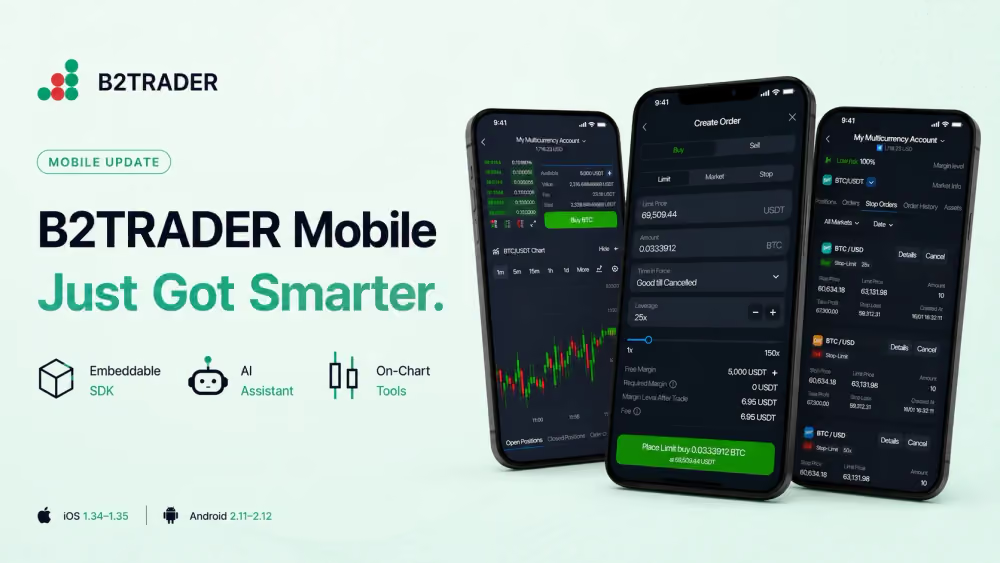
We are thrilled to introduce the latest B2TRADER Mobile release, shipped across iOS 1.34–1.35 and Android 2.11–2.12. The team focused on two priorities your brokerage and your clients have been asking for: a faster, more intuitive in-app trading experience, and a flexible way to bring B2TRADER trading into your own ecosystem.
Embeddable B2TRADER Mobile SDK
Brokers can now embed the full B2TRADER trading terminal directly into their own native apps or third-party CRM systems. The SDK supports single sign-on through your existing authentication, brand theming through a backend-driven UI Customization API, push notifications, and flexible distribution.
For partners and white-label clients, this opens up a path to offer native B2TRADER trading inside their own products without rebuilding the terminal from scratch.
In-App AI Assistant
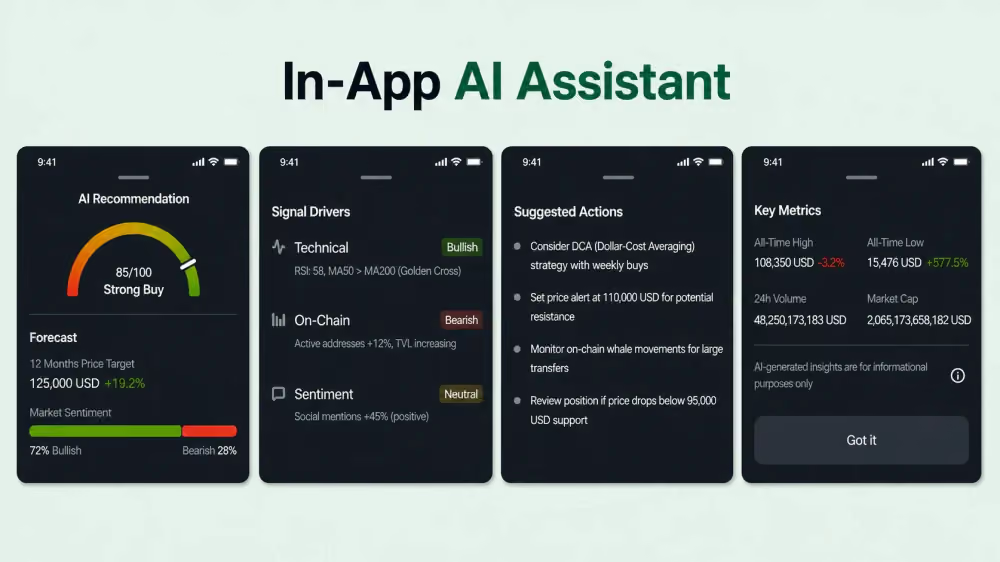
This helps less experienced traders move forward with confidence in the moments that matter most.
Account Analytics
A new analytics module brings an equity curve and flexible period selection to the mobile app, allowing traders to track performance over time directly from their phones.
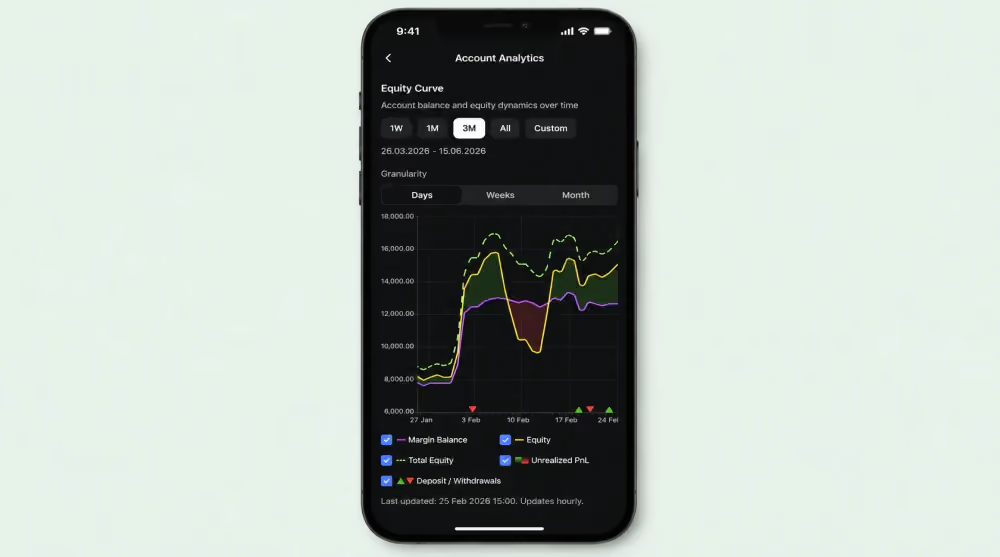
For your brokerage, this is the kind of self-service insight that increases engagement and reduces routine reporting requests.
On-Chart Take Profit and Stop Loss
Traders can now drag Take Profit and Stop Loss levels directly on the chart. Changes apply instantly, and if an update cannot be saved, the level rolls back automatically. This brings desktop-grade risk management to mobile, where most active retail clients now spend their time.
Quick Order from the Chart
A streamlined Quick Order flow can now be opened straight from a price interaction on the chart, making order placement faster than ever before. Combined with on-chart TP and SL, your active traders get a clean, fluid path from idea to execution.
Workspace Customization, Lifecycle Comments, and Credit Transparency
Traders can reorder and hide terminal tabs directly from Settings to match their own workflow. Comments are now supported across orders, positions, and trades.
Credit is also surfaced as a dedicated row in margin details, providing clearer transparency on available funds.
Further Improvements
The release also adapts the interface dynamically to the market types enabled on each account, displays account status and the new public Account ID in the mobile apps, and shows "–" instead of 0% for Margin Level when no value is available.
We have also resolved bugs around credit notifications, AI widget responses, the fullscreen chart network-loss indicator, demo accounts, and favourites.
Recommended articles

Subscribe to our newsletter