Lanzamiento de B2TRADER Mobile: aplicaciones independientes, apalancamiento por niveles y controles de trading más rápidos

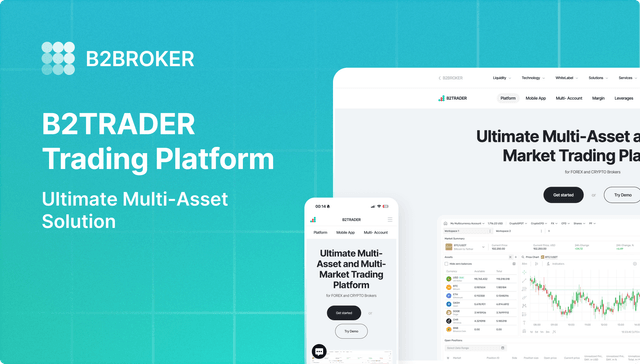
El trading móvil continúa creciendo, con cada vez más traders que colocan y gestionan órdenes directamente desde sus smartphones. Para apoyar este cambio, lanzamos aplicaciones móviles independientes de B2TRADER para iOS y Android, diseñadas para integrarse con cualquier aplicación móvil de CRM interna o de terceros.
Además, la actualización mejora la forma en que los traders gestionan la exposición y los costes en dispositivos móviles mediante apalancamiento por niveles y visibilidad de comisiones. También añade controles de ejecución directa y optimiza los flujos de trabajo diarios con pantallas más inteligentes y un historial de operaciones más completo.
Veamos en detalle qué hay de nuevo.
Impulse Su Bróker Con La Próxima Generación de Trading Multi-activo y Multi-Mercado
Motor avanzado que procesa hasta 3.000 solicitudes por segundo
Compatible con Forex, Cripto Spot, CFD, Futuros Perpetuos y más en una sola plataforma
Arquitectura escalable diseñada para operaciones de alto volumen
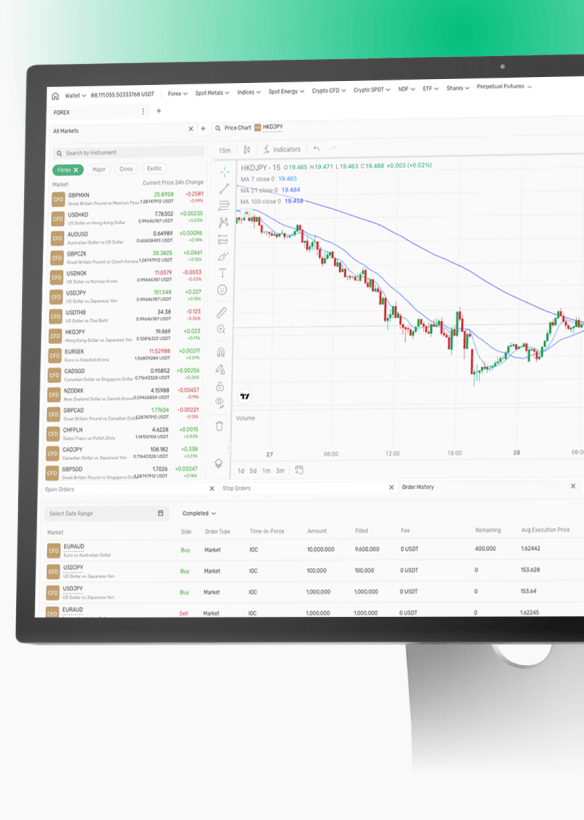
Lanza B2TRADER Mobile como un producto independiente
Las corredurías ahora pueden implementar la aplicación móvil B2TRADER como una solución independiente, separada de nuestro CRM B2CORE. El sistema admite la integración con tu CRM interno existente o con soluciones de terceros.
Mantienes tus flujos de trabajo actuales y la lógica del ciclo de vida del cliente, mientras que tus traders obtienen un terminal móvil coherente conectado a tu infraestructura. Es una vía práctica para las empresas que desean ofrecer B2TRADER sin cambiar el resto de su ecosistema.
Apalancamiento por niveles transparente y comisiones dinámicas
Esta versión de B2TRADER Mobile pone en primer plano el apalancamiento por niveles y los tramos de comisiones, para que los traders puedan seguir cómo cambian el apalancamiento y las comisiones según el tamaño de la posición y el volumen de trading directamente dentro del flujo de trabajo móvil.
Sistema de apalancamiento por niveles
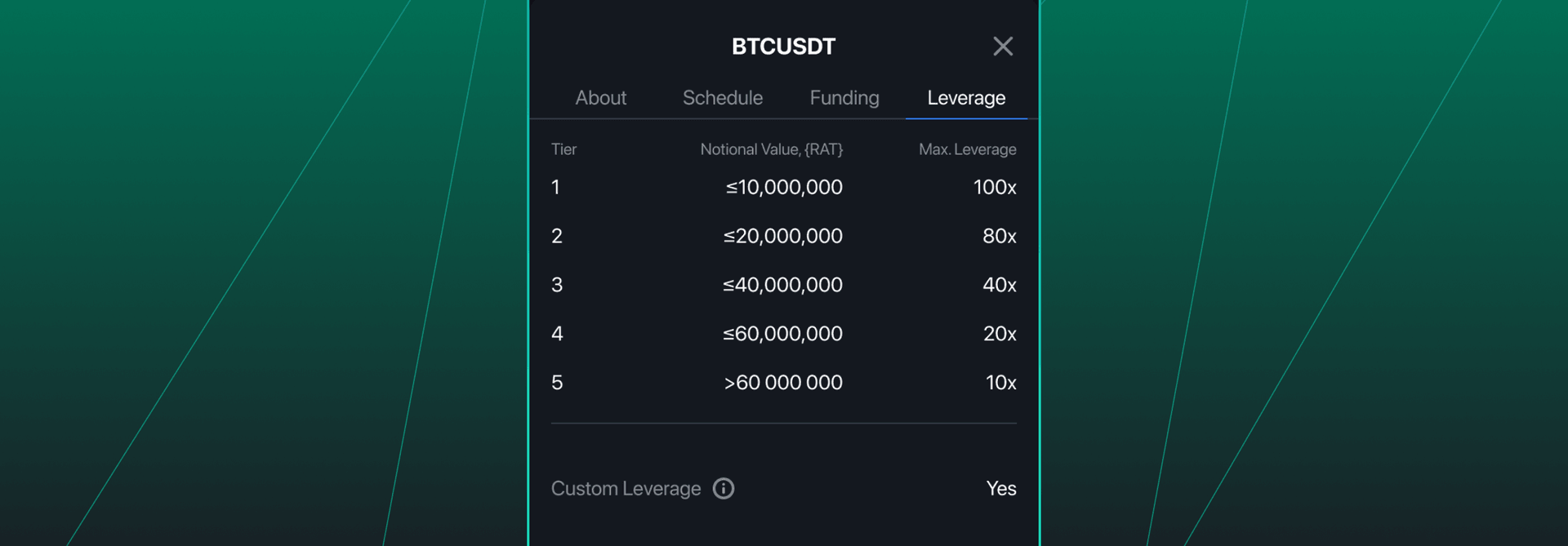
El apalancamiento por niveles ahora es fácil de seguir en dispositivos móviles. La aplicación ofrece total transparencia sobre el sistema de apalancamiento dinámico, permitiendo a los usuarios móviles ver tanto el apalancamiento solicitado como el aplicado para el tamaño de su posición.
Una pestaña dedicada de Apalancamiento incluye la tabla de apalancamiento por niveles, manteniendo la lógica transparente mientras tus clientes operan.
Tramos de comisiones basados en volumen
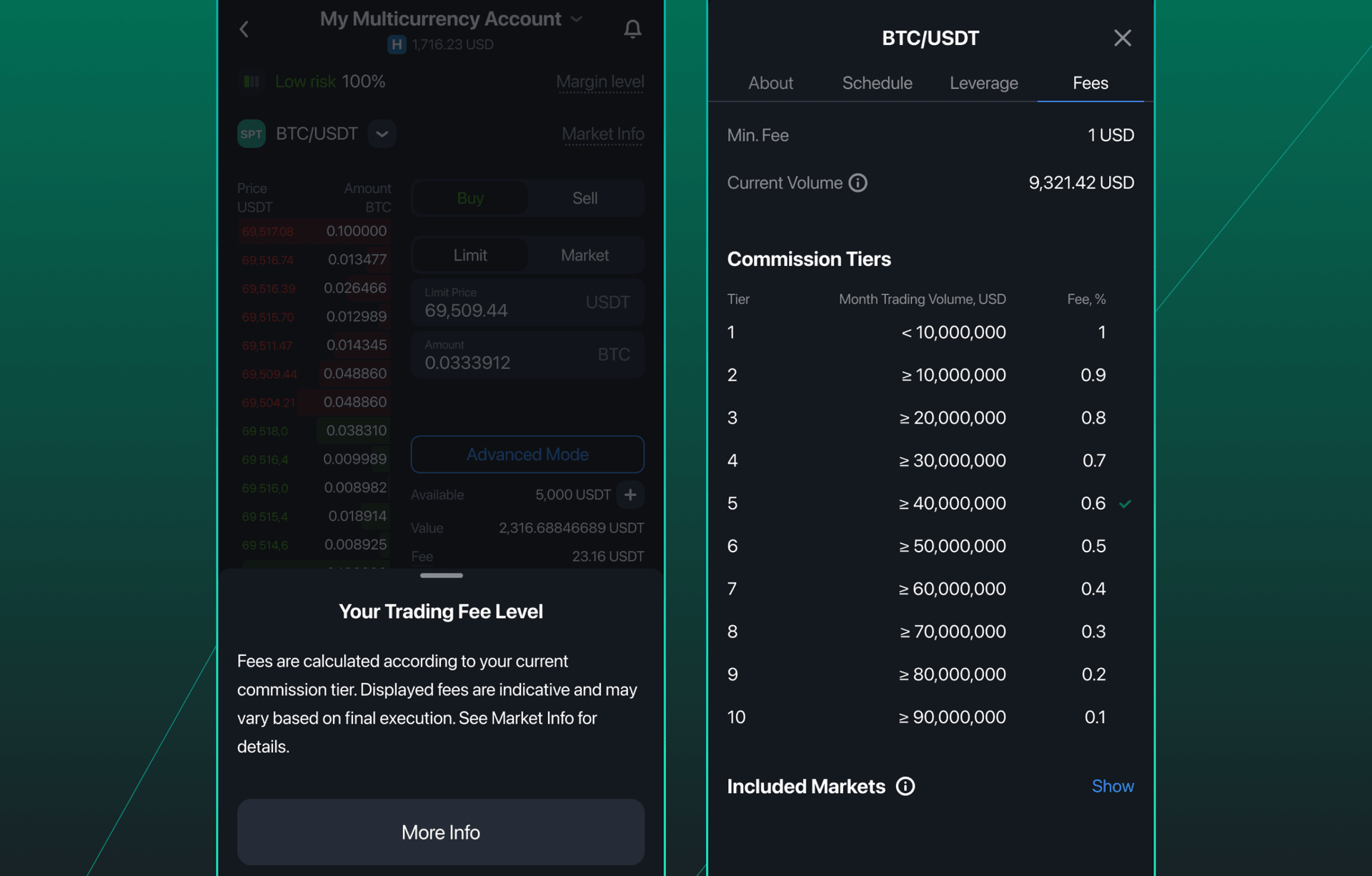
La información de comisiones por niveles ahora se muestra en Información del Mercado, en la sección de Comisiones, para los instrumentos que utilizan precios basados en volumen. Tus traders pueden ver de inmediato el tramo actual aplicado a un mercado y comprender cómo su actividad de trading afecta a la tarifa que reciben.
Ajustes precisos del riesgo de trading
La ejecución móvil se vuelve más sencilla cuando la interfaz mantiene el contexto visible y sitúa las acciones clave más cerca del gráfico. Esta versión mejora los momentos más importantes cuando los traders ajustan el riesgo o deciden salir.
Parámetros clave de la posición al editar TP/SL

La pantalla de configuración de Take Profit/Stop Loss ahora muestra los parámetros clave de la posición en la parte superior, para que los traders sepan exactamente qué están ajustando en todo momento. El nombre de la posición, el lado, el tamaño, el precio de apertura, el precio actual y el apalancamiento permanecen visibles durante todo el proceso, lo que ayuda a reducir errores de introducción costosos.
Cierre de posiciones directamente desde el gráfico de precios
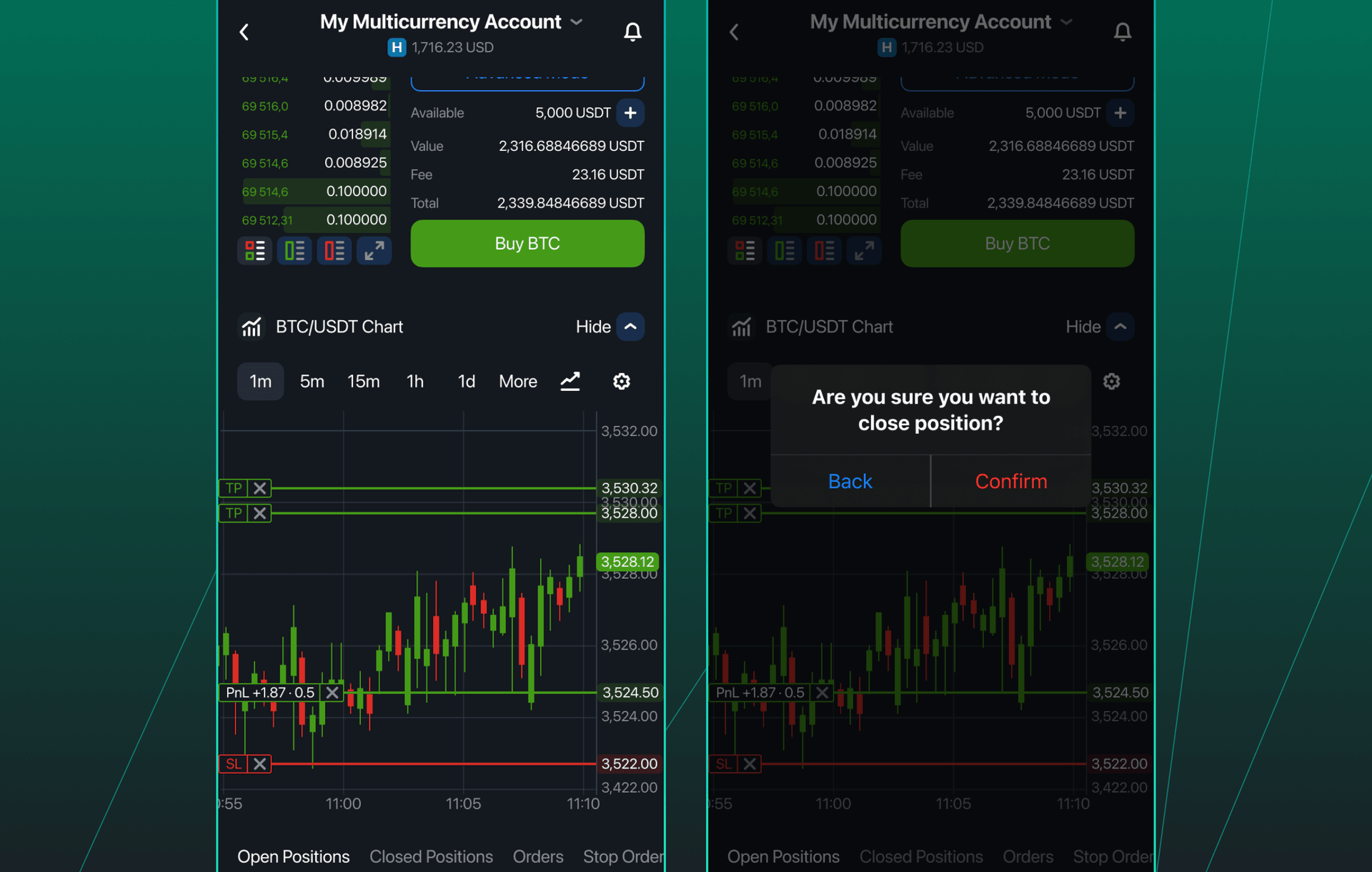
Los traders móviles pasan mucho tiempo en el gráfico. Ahora las posiciones pueden cerrarse directamente desde el widget del Gráfico de Precios tocando un indicador de posición. Es una interacción sencilla y natural en dispositivos móviles. Tus clientes pueden reaccionar más rápido sin cambiar de pantalla solo para encontrar la posición en una lista.
Cancela órdenes y cierra exposición con un solo toque
Los mercados volátiles requieren reacciones inmediatas para proteger el capital. Hemos introducido un conjunto de funciones para reducir el tiempo entre la decisión y la ejecución para tus traders.
Cancelación de todas las órdenes activas
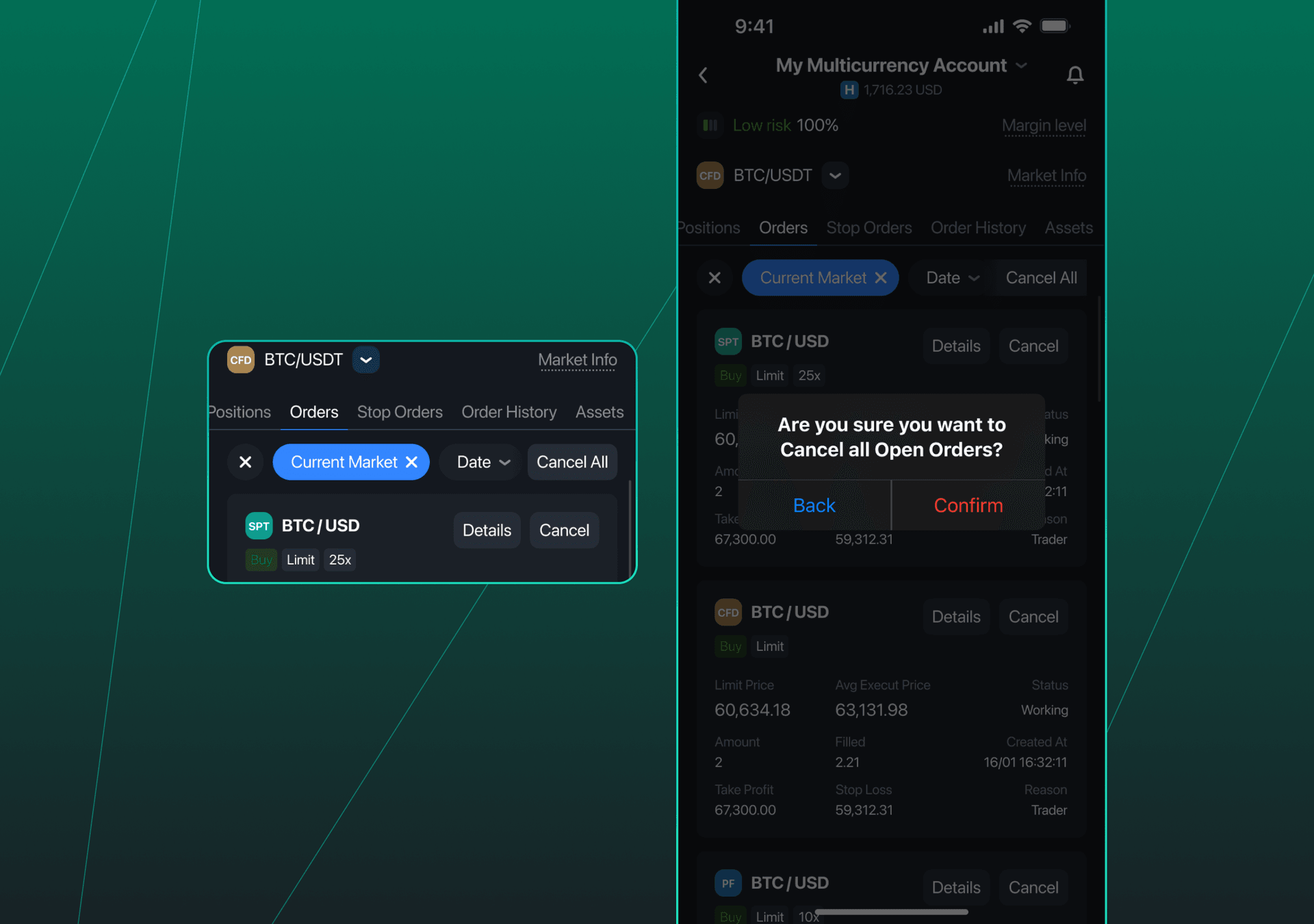
El widget de Órdenes Abiertas ahora incluye un botón Cancelar todas para órdenes pendientes y en curso. Los traders pueden limpiar la pila de órdenes al instante y evitar ejecuciones no deseadas durante movimientos rápidos.
Cierre de todas las posiciones abiertas
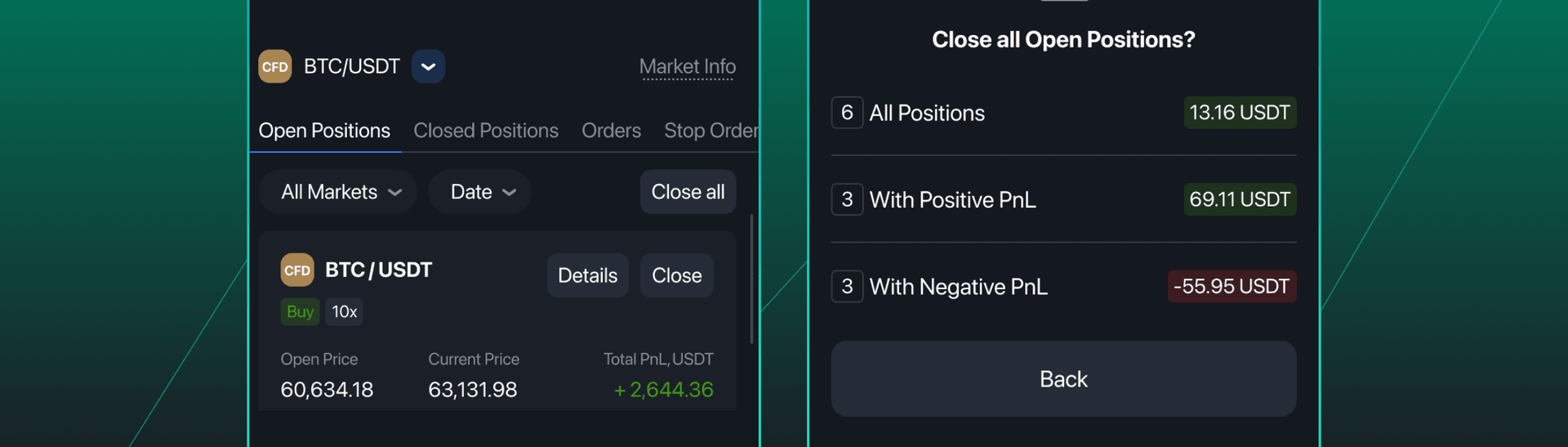
También hemos añadido un botón Cerrar todas al widget de Posiciones Abiertas. Liquida todas las posiciones abiertas en una sola acción, para que tus clientes puedan reducir la exposición de inmediato desde la misma pantalla que utilizan para controlar el riesgo abierto.
Mejoras que optimizan el flujo de trabajo y la revisión de operaciones
Estos ajustes hacen que las sesiones diarias sean más fluidas y ofrecen a los traders más detalle al revisar la ejecución.
Configuración del gráfico de precios guardada
El widget del Gráfico de Precios ahora recuerda el marco temporal y el tipo de gráfico seleccionados por última vez. Cuando los traders regresan al terminal, el gráfico se abre en la vista preferida sin configuraciones adicionales, manteniendo la coherencia del flujo de trabajo entre sesiones.
Detalles de posiciones cerradas
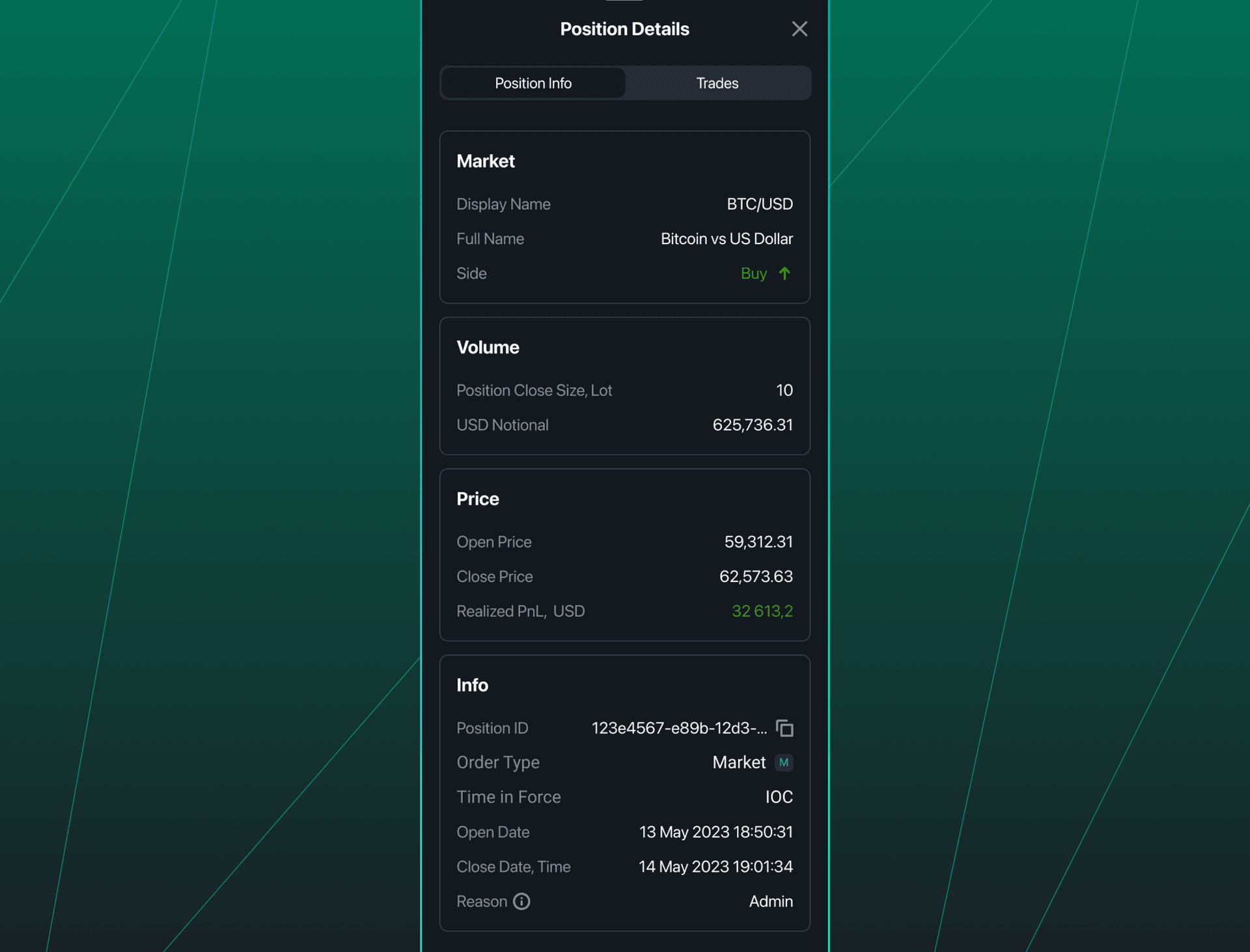
El historial de ejecución ahora es más informativo en dispositivos móviles. La pantalla de Información de Posiciones incluye Tipo de orden y Tiempo en vigor para cada operación, proporcionando a tus traders un contexto más claro al revisar resultados y comparar ejecuciones entre estrategias.
Detalles del mercado en Colocar orden
La introducción de órdenes ahora se siente más conectada con el momento del mercado. El modo avanzado en Colocar orden ahora muestra el nombre del mercado y el último precio con actualizaciones en tiempo real. Los traders pueden confirmar el instrumento y seguir el precio en vivo mientras construyen la orden, lo que favorece una ejecución más precisa durante cambios rápidos entre mercados.
Un terminal móvil con todas las funcionalidades
B2TRADER Mobile deja de ser una aplicación complementaria para convertirse en un terminal de trading independiente y robusto. Ofrece la conectividad que necesitan los brokers y la velocidad que exigen los traders modernos.
Nuestro equipo continúa perfeccionando la plataforma para garantizar que cumpla con los más altos estándares institucionales. Mantente atento a futuras mejoras de nuestro ecosistema de trading.
Pon el poder institucional en el bolsillo de tus clientes
Lanza B2TRADER Mobile como tu terminal independiente para ofrecer ejecución con un solo toque y precios transparentes sin alterar tu ecosistema.
Artículos recomendados