New in B2TRADER: Mobile Web Terminal, Lite and Pro Modes, and Live Broker Analytics

B2TRADER’s latest update gives traders a two-speed terminal, Lite for newcomers and Pro for active traders, on desktop and in the phone browser. Brokers get a live dashboard, live exposure, and client-ready account statements out of the box.
The release covers everything shipped in the web Trading Terminal, mobile web terminal, Admin Panel, and backend improvements our team delivered over the last few weeks.
Let’s explore how these features work for you.
A Full Trading Terminal in the Phone Browser
According to Finance Magnates Intelligence, mobile platforms accounted for 64.6% of trading transactions in 2025, while the Capital.com/APCO report found that approximately 75% of Capital.com’s traders in the UAE trade exclusively on mobile. This highlights the importance of mobile access for retail brokers, whether through a dedicated app or even from a mobile web browser.
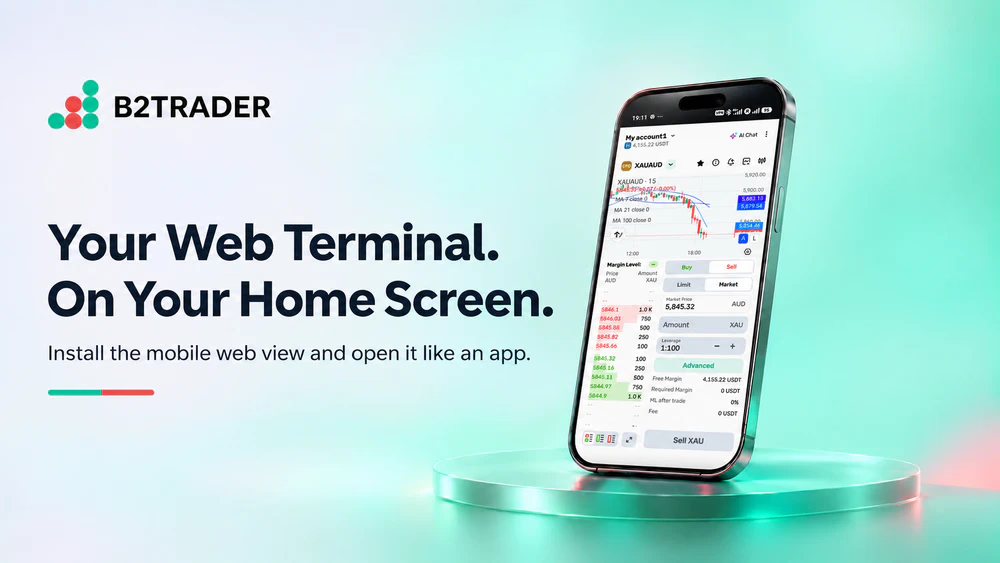
With B2TRADER’s mobile web view, traders can open the broker’s link on a phone, tap Install, and get an app icon on the home screen. No app store review, no download size, and no update prompts. The terminal tells the trader when a new version is ready.
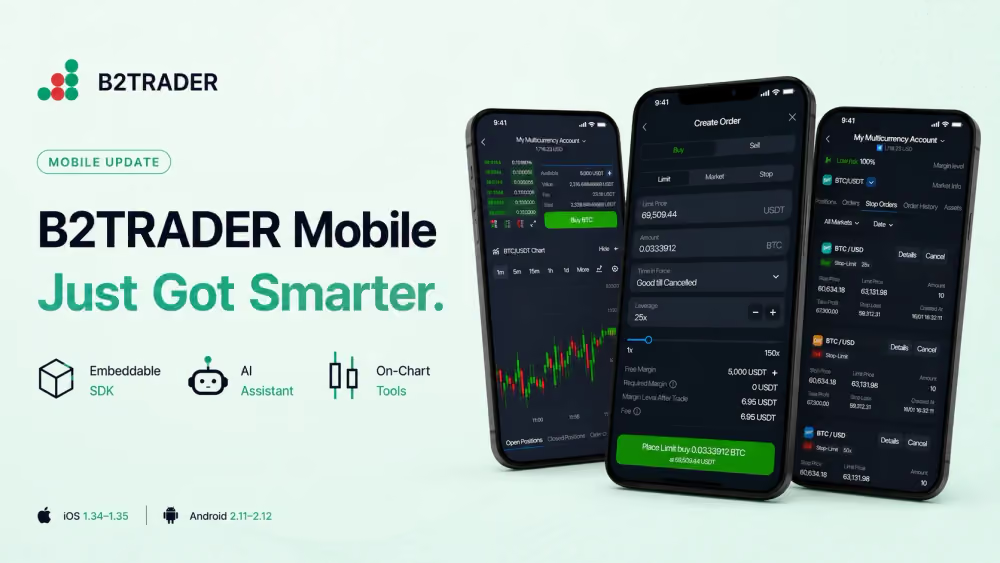
Your traders can also choose where the chart sits: at the top, at the bottom, or hidden, while a full-screen chart puts 24-hour stats, the order book, and Buy/Sell in one place.
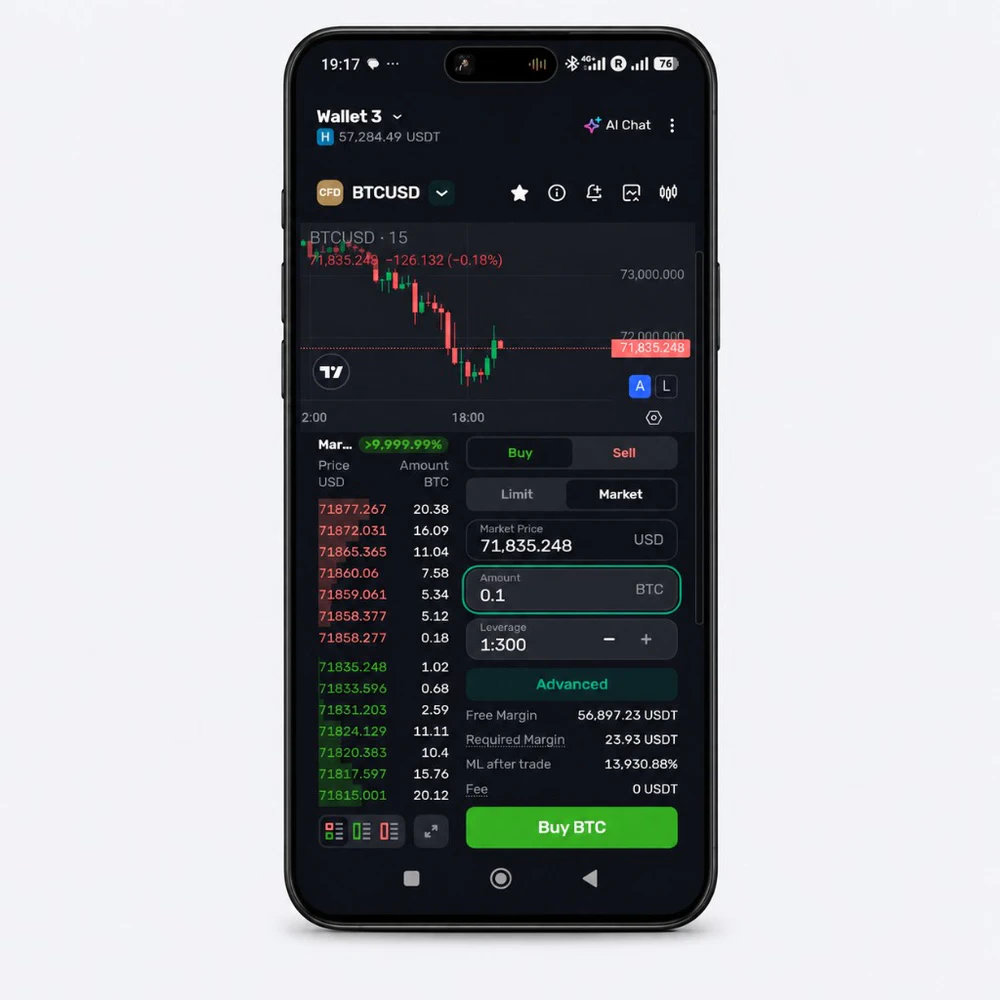
The mobile experience also ensures a full order ticket, including amount, Limit/Market, leverage up to the broker’s limit, free margin, and required margin, with on-screen notifications and sounds for executed orders.
Lite and Pro: One Terminal, Two Speeds
In this update, we’ve introduced a Lite/Pro Mode toggle across the mobile app, web terminal, and mobile web terminal. This makes trading accessible to beginners and experienced traders, with the ability to switch in any direction at any point.
Lite mode is a clean, single-instrument board for newcomers who have never seen an order book, while Pro mode offers resizable widgets, multiple layouts, and widget groups in the web terminal.
Brokers can assign a default Lite mode workspace, so every new client starts on the layout the broker designed. Additionally, traders’ widget settings are saved on the server and follow them across devices, with one switch in Settings to move between both trading modes.
A Live Dashboard for the Broker’s Business
The Admin Panel now opens on a dashboard instead of a user list. Brokers can also review total revenue split up between markup, commission, swaps, and funding, with a daily chart and the Top 5 markets by revenue.
The improved dashboard also enables brokers to rank Top Accounts by realized P&L, deposits, withdrawals, unrealized P&L, or trade volume. Trading Activity shows the number of trades and the traded volume per day, and Client Growth shows new clients over time.
This enables brokerage firms to review past performance and what drove it without exporting or using Business Analytics tools — all live from their dashboard.

Live Exposure for Risk Managers
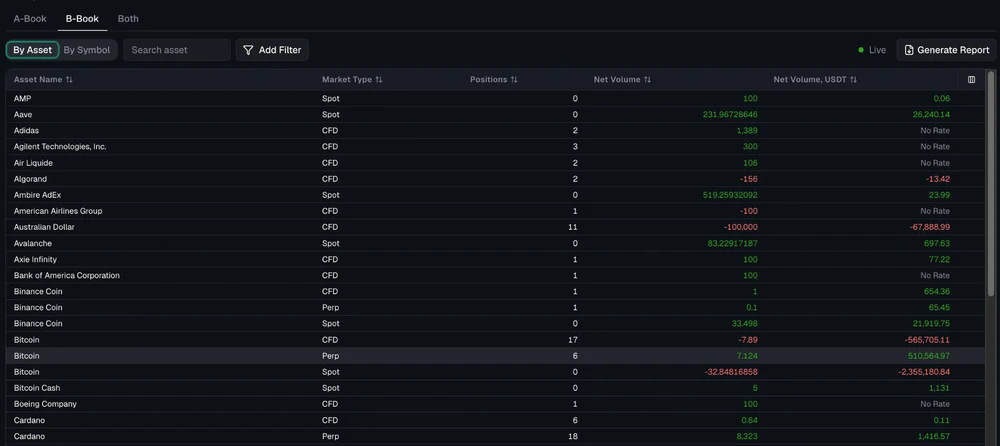
The new Analytics tab shows live net exposure across the book. Risk managers can switch between A-Book, B-Book, or both, and view it by asset or by symbol across Spot, CFD, and Perpetual Futures.
Each row shows net volume in units and in USDT, plus the number of open positions. Columns are configurable, and Generate Report exports the data to CSV. We’ve also added a Live indicator to show that the numbers update as trades happen.
Client-Ready Account Statements
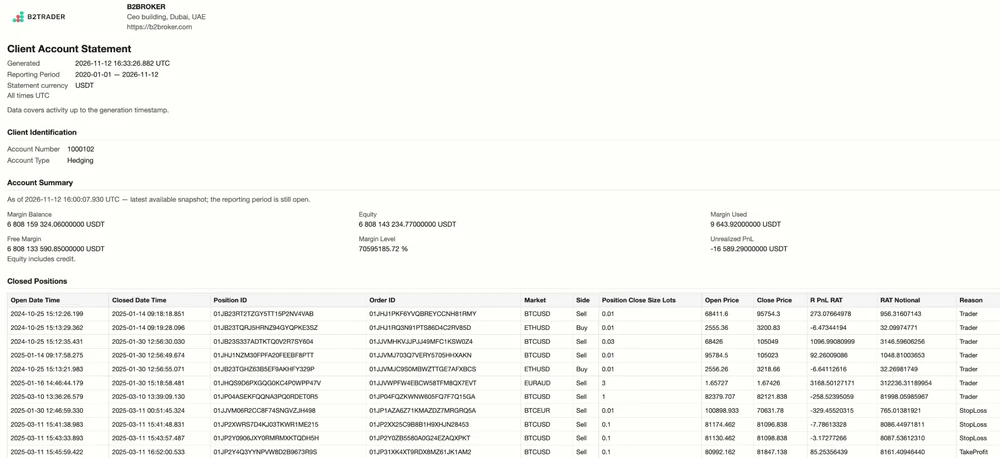
The trader report now also comes as a printable Client Account Statement alongside the CSV. The summary shows margin balance, equity, margin used, free margin, margin level, and unrealized P&L.
Additionally, traders can preview the closed-positions history, which lists open and close prices, realized P&L, and the close reason: Trader, Stop Loss, or Take Profit.
This simplifies the admin work for your traders: they can get a statement and hand it to an accountant, a bank, or a regulator under the broker’s brand, with no manual back-office work.
Support One Click Away, Under the Broker’s Brand
Brokers can connect their own Intercom workspace and give traders live support chat right in the terminal.
The new Support and Documentation buttons now sit in the terminal footer, with an unread-messages badge, a configurable support-contacts list, and a new icon set.
Recommended articles
Subscribe to our newsletter