New in B2COPY: Investor Control Over Copying, Faster Account Setup and Admin Reporting

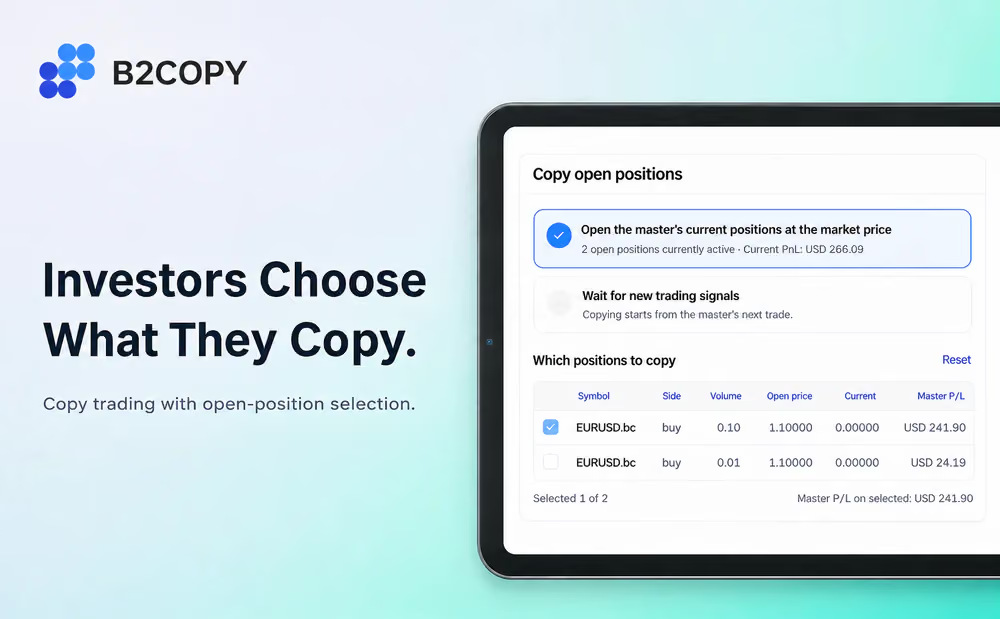
B2COPY’s October release gives investors more control over what they copy and gives brokers new ways to set up accounts and report on their business. It also adds execution emails for PAMM investors and self-service API access for partners.
More Control for Your Brokerage
Explore open-position selection, Symbol Filter, new Admin exports and more in the full release notes .
Choose Which Open Positions to Copy
Brokers can now set a third policy for new Copy and MAM subscriptions: Let investor choose, alongside Always copy and Never copy.
With investor choice enabled, the investor sees the master trader’s open positions in one table, with symbol, direction, volume, open and current prices, and the master’s floating P/L. They select which positions to copy, or start with new signals only.
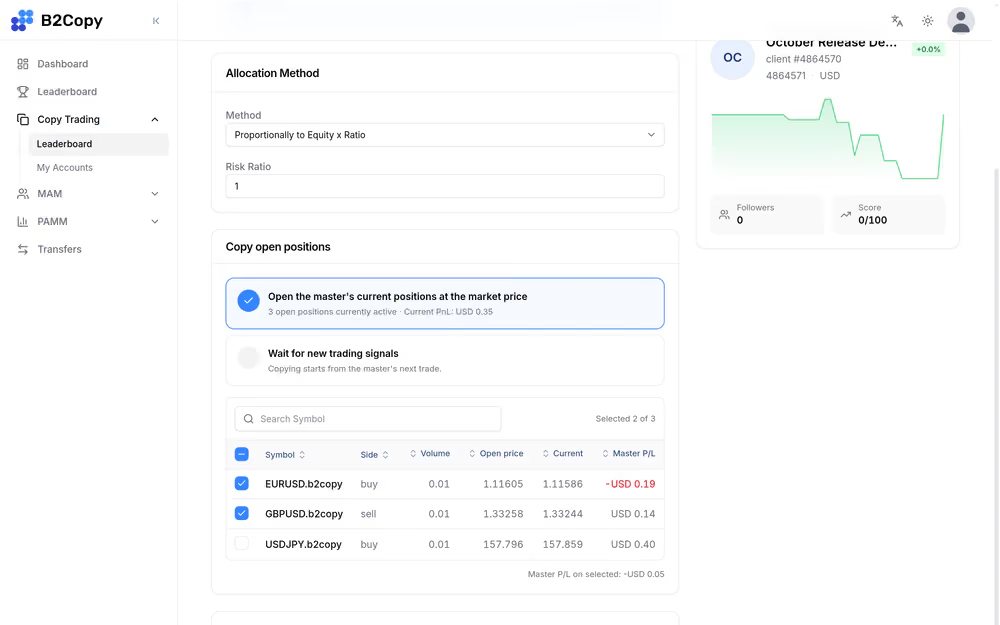
Selected positions open at current market prices. Existing subscriptions and reactivation flows are unchanged.
Exclude Instruments With Symbol Filter
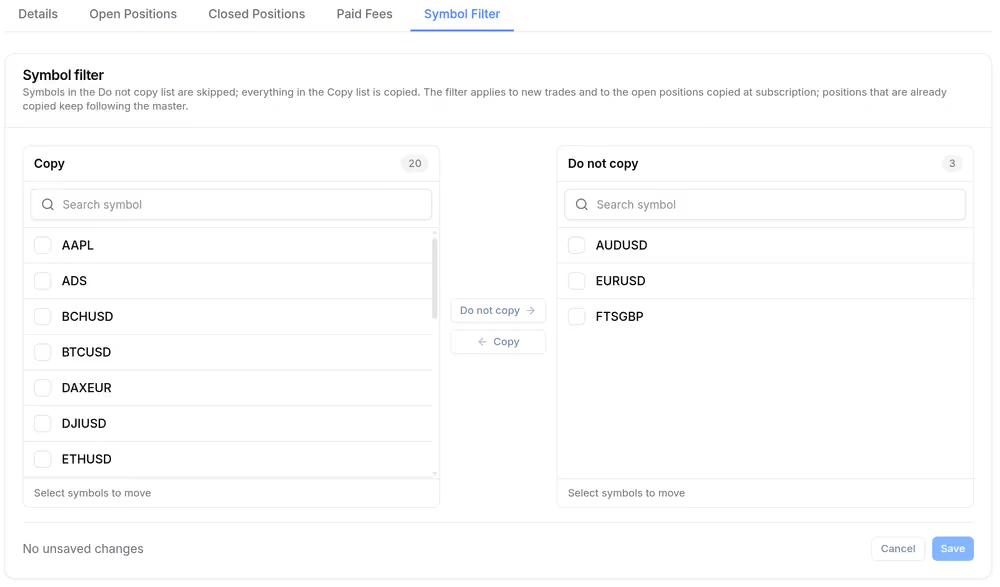
Existing Copy and MAM subscriptions now have a Symbol Filter tab with Copy and Do not copy lists side by side. Investors can exclude up to 100 symbols, and new symbols added by the broker are copied by default.
Excluding a symbol does not close positions that are already copied. They keep synchronizing with the master trader, so changing the filter never causes an unexpected close.
Faster Account Setup
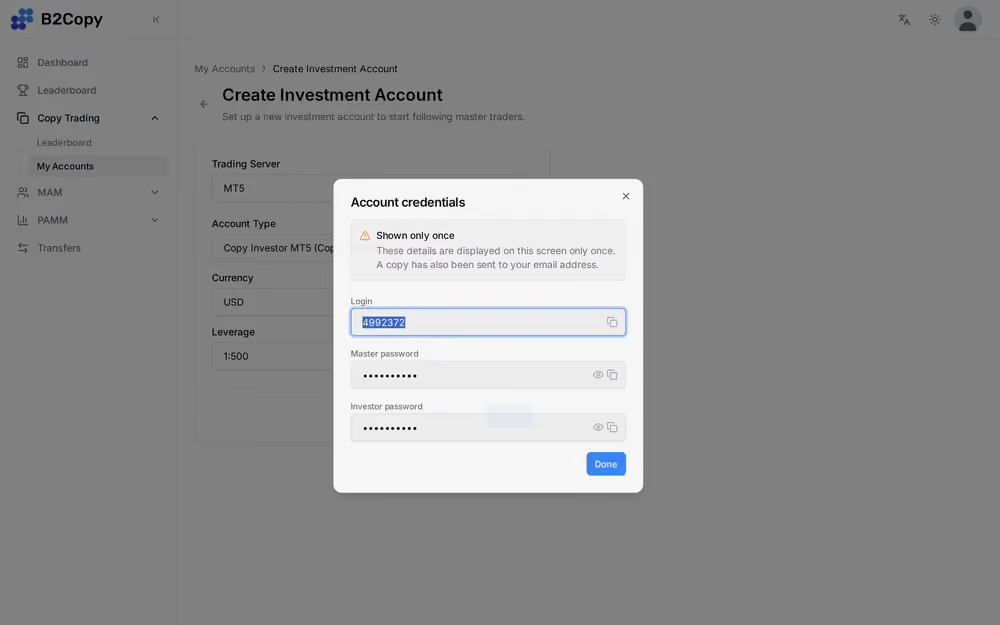
Where the broker enables it, the account-creation confirmation shows the new master or investment account’s credentials once, as soon as the account is available. The option is set per product.
In Full integrations, clients can also link an existing B2CORE trading account as a Copy or MAM account, reviewing its server, currency and leverage instead of opening a new account.
Admin Exports and PAMM Reporting
Nine Admin areas now export every matching row to CSV, across all pages: Fees and Fee Reports, Transfers, Users, a user’s Accounts, PAMM Balance operations, HWM History, Positions, Deals and Trading Robots.
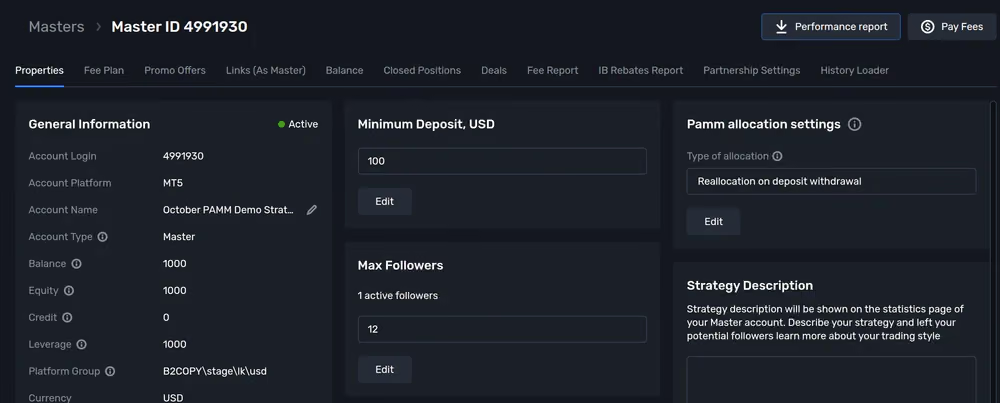
PAMM master accounts get a Performance report button that downloads one CSV with a snapshot, return comparison, monthly return, and daily balance, equity and return.
PAMM Execution Emails and Admin Access
Investors now receive an email when their PAMM deposit or withdrawal is executed, naming the master account, investment account and amount. Brokers configure both templates under Emails → Email Templates.
Administrators who forget their password can recover it by email. Two-factor authentication and IP restrictions stay in place.
Self-Service Partner API Credentials
B2COPY now has an API for partners. Brokers can give their partners access to data on the clients they referred, including those clients’ accounts and statistics, so a partner can work with it in their own CRM or reporting tools.
The key rule is scope. A partner interacts only with the clients inside their own partner tree, never with the broker’s full client base. Beyond the standard data, brokers can request additional capabilities for a partner.
The broker decides which partners get API access, user by user. From there, partners manage it themselves in their profile: they create a credential, see its ID and secret once, review its dates and revoke it at any time. For brokers, this makes the partner program easier to plug into a large introducing broker’s existing setup, without exposing the rest of the client base.
Smaller Improvements
The release also includes a receipt-style performance-fee layout, subscription links with promo codes from Admin, paginated subscription lists, clearer PAMM deposit limits, and fixes for PAMM accounting, copying and recovery.
Recommended articles


Subscribe to our newsletter