Promo offers let you attach a promo code to a specific fee plan — useful for launches, campaigns, VIP clients, or a unique link for a partner. You can also split the fees from one offer between several partners, with a separate percentage for each partner.
A promo offer is not always a discount
A promo offer is a code-based subscription offer. It can use an existing Fee Plan or a new plan with its own terms. The rates can be lower, equal to, or different from the master’s default plan — the code identifies which offer an investor uses.


Open Settings
On your master account, go to Settings → Promo offers → Add new offer.
Name it and set a code
Enter a Promo name and a Promo code (e.g. HOLIDAY2026).
Set the fee terms
Define the Performance, Subscription, and Joining fees for this offer.
Add partner rows
In Partners (optional), select Add partner once for each partner who should receive a share.
Set each partner’s share
For every row, choose the Partner trading server when it is shown, enter the Partner account, and set Partner share (%).
Create the offer
Select Create offer, then share the code with investors.
How the Partner Shares Work
Each partner percentage is calculated from the fees generated by investors who subscribe with that promo code. Suppose those investors generate a 500 USD fee pool: Partner A gets 30% = 150 USD, Partner B gets 15% = 75 USD, and Partner C gets 5% = 25 USD. The three shares total 50%, so the remaining 250 USD stays with the master.
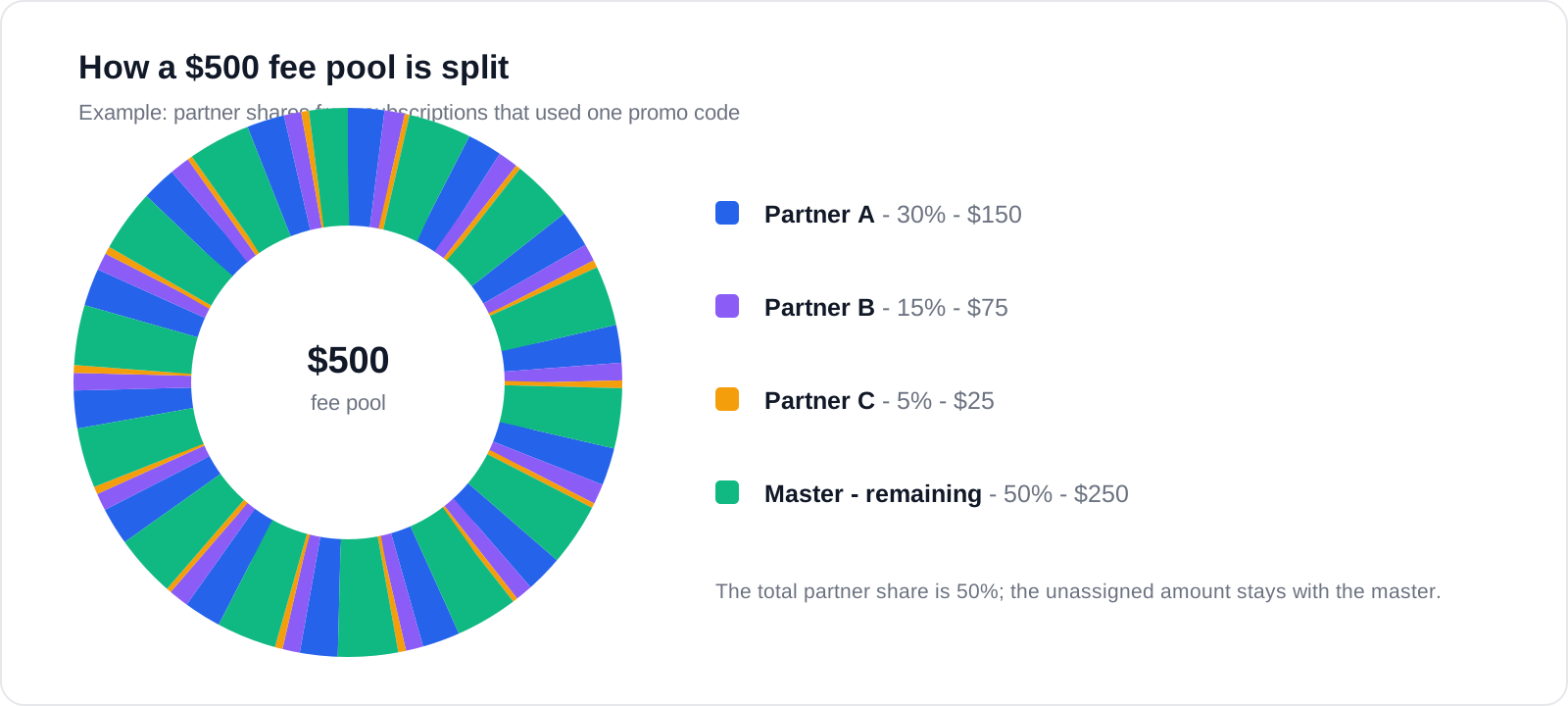
| Partner | Share | Amount from a 500 USD fee pool | Running total |
|---|---|---|---|
| Partner A | 30% | 150 USD | 30% |
| Partner B | 15% | 75 USD | 45% |
| Partner C | 5% | 25 USD | 50% |
Validation and Existing Offers
- Every active partner row must have an account and a positive percentage.
- The total share must not exceed 100%. If it does, the form blocks Create offer or Update offer until you correct the values.
- When several trading servers are available, select the server for each partner account.
- An offer that was created with one partner continues to work and opens with that partner as a single row.
- Editing an offer does not automatically rebuild partner arrangements for existing subscriptions. Review the impact before changing an active offer.
Investors who subscribe with the code use the fee plan attached to that offer instead of the default plan — see Subscribe with a promo code.
